
Scheduled Job - Job Handler
Overview
This section shows how to create helper Logger class to create log events and Job Handler that would be executed by the Scheduled Job.
Steps
Logger
Right click on the
scheduled-job-projectproject and select New -> TypeScript Service.Enter
Logger.tsfor the name of the TypeScript Service.Replace the content with the following code:
tsimport { update } from "sdk/db"; export enum LogDataSeverity { INFO = 'Info', WARNING = 'Warning', ERROR = 'Error' } export interface LogData { readonly date: Date; readonly severity: LogDataSeverity; readonly message: string; } export class Logger { public static log(logData: LogData) { Logger.saveLogEvent(logData); const message = `---> [${logData.severity}] [${Logger.toDateString(logData.date)}]: ${logData.message} <---`; switch (logData.severity) { case LogDataSeverity.INFO: console.info(message); break; case LogDataSeverity.WARNING: console.warn(message); break; case LogDataSeverity.ERROR: console.error(message); break; } } private static saveLogEvent(logData: LogData) { const sql = `insert into LOG_EVENTS ("LOG_SEVERITY", "LOG_MESSAGE", "LOG_TIMESTAMP") values (?, ?, ?)`; const queryParameters = [logData.severity, logData.message, logData.date]; update.execute(sql, queryParameters, null); } private static toDateString(date: Date): string { return `${date.toLocaleDateString()}; ${date.toLocaleTimeString()}`; } }
db/update
Take a look at the db/update documentation for more details about the API.
Logger
Right click on the
scheduled-job-projectproject and select New -> JavaScript ESM Service.Enter
handler.mjsfor the name of the JavaScript Service.Replace the content with the following code:
jsimport { Logger, LogDataSeverity } from './Logger'; const logData = [{ date: new Date(), severity: LogDataSeverity.INFO, message: 'Success feels so good!' }, { date: new Date(), severity: LogDataSeverity.INFO, message: 'You made it!' }, { date: new Date(), severity: LogDataSeverity.WARNING, message: 'Open Sesame!' }, { date: new Date(), severity: LogDataSeverity.WARNING, message: 'Password updated!' }, { date: new Date(), severity: LogDataSeverity.ERROR, message: 'Welcome to the dark side!' }, { date: new Date(), severity: LogDataSeverity.INFO, message: 'So glad you are back!' }]; const randomIndex = Math.floor(Math.random() * logData.length); Logger.log(logData[randomIndex]);Navigate to the
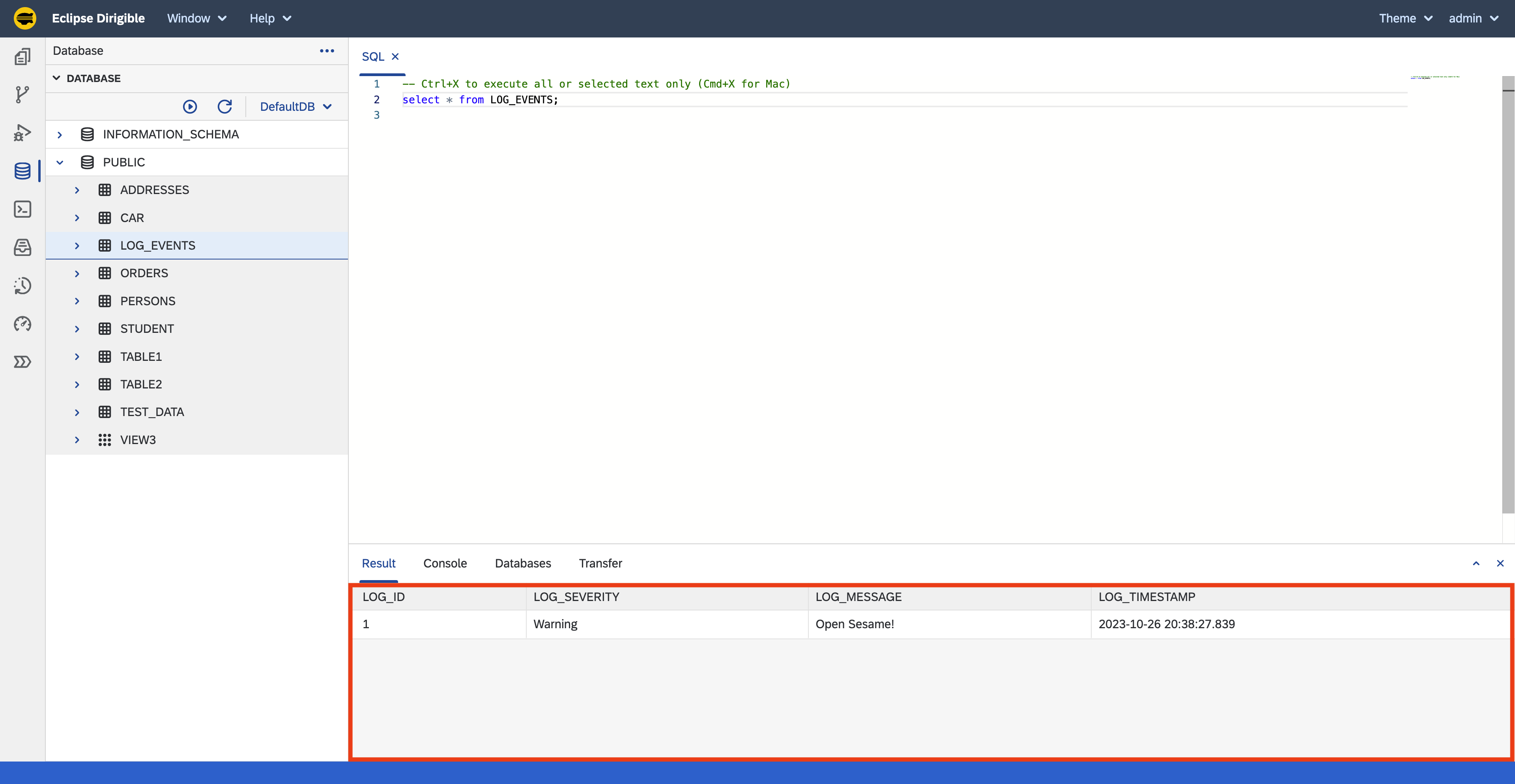
Database Perspectiveto check that there is a record in theLOG_EVENTStable.
Save & Publish
Saving the file will trigger a Publish action, which will build and deploy the JavaScript and TypeScript services. The handler.mjs service would be executed by the Preview view. As it's expected to be executed by a Scheduled Job and not by HTTP Request nothing would be displayed in the Preview view, however the log event data would be insterted into the LOG_EVENTS table.
JavaScript ESM Handler
At the time of writing the tutorial, it was not possible to create a TypeScript handler for the Scheduled Job.
Next Steps
Section Completed
After completing the steps in this tutorial, you would have:
Job HandlerandLoggerclass to create log events.- At least one record in the
LOG_EVENTStable.
Continue to the Job Definition section to create a Scheduled Job, that would trigger the Job Handler.
Note: The complete content of the Scheduled Job tutorial is available at: https://github.com/dirigiblelabs/tutorial-scheduled-job-project:::