
Tenant data export
Off by default. The Settings -> Data export section of the application shell lets a tenant's owners download everything the tenant holds as one archive: the application's data and every stored document. Generated application shells mount the same section.
DIRIGIBLE_TENANT_EXPORT_ENABLED=true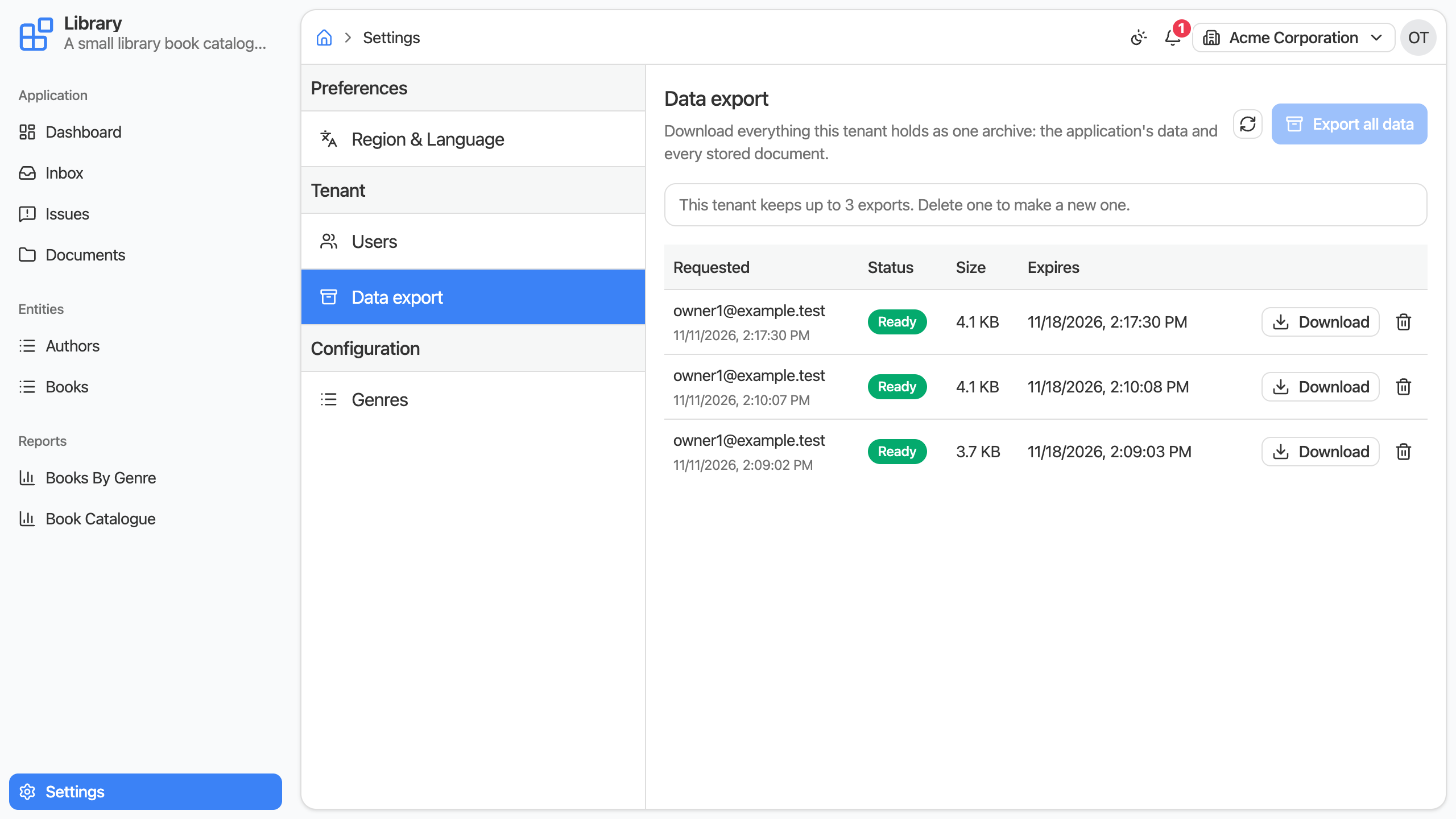
What is in the archive
One ZIP file, named tenant-<tenant id>-data-export-<date>-<time>.zip:
manifest.json     the tenant, when the archive was made, each table with its row count, the number of files
database/         per application table its definition (<TABLE>.json) and its rows (<TABLE>.csv)
files/ the tenant's documents, as the Documents section shows them- The tables are the ones the published applications declare.
- The documents are those of the whole tenant.
- Users and roles, process and task history, and logs are not in it.
The database/ folder keeps the layout the platform's schema export process writes, so its schema import process restores it. The files/ folder is a plain tree, so the Documents section's zip upload puts it back.
How it works
Export all data starts an export in the background and the list follows it until it is Ready. Then Download fetches the archive, and the trash button deletes it after a confirmation.
- One export runs at a time per tenant.
- A tenant keeps a limited number of archives. When it has that many, a further export is refused until one is deleted or expires.
- An archive is deleted on its own once its retention period is over. The list shows when.
- An export that fails is listed as Failed with the reason, and leaves no files behind.
Who may use it
- A holder of the tenant's
Ownerrole, aDEVELOPERor anADMINISTRATOR. - It always exports the tenant the caller is working in. Nothing in a request can choose another tenant, a data source or a path.
Configuration
| Variable | Default | Purpose |
|---|---|---|
DIRIGIBLE_TENANT_EXPORT_ENABLED | false | Shows the section and exposes its API. |
DIRIGIBLE_TENANT_EXPORT_MAX_ARCHIVES | 3 | How many archives a tenant may keep at a time. |
DIRIGIBLE_TENANT_EXPORT_RETENTION_DAYS | 7 | How many days an archive is kept before it is deleted. |
API
The section's own API, under /services/data/tenant-export, for the same callers. With the feature off every route answers 404.
Start an export
POST /services/data/tenant-export starts an export of the caller's tenant. It takes no body.
| Status | Meaning |
|---|---|
202 | started; the body is the export, REQUESTED |
409 | an export is still running, or the tenant keeps as many archives as it may |
List and read
GET /services/data/tenant-export answers the tenant's exports, newest first, and GET /services/data/tenant-export/{id} one of them.
{
  "id": 12,
  "status": "COMPLETED",
  "requestedBy": "owner@example.com",
  "requestedAt": "2030-01-15T10:15:30Z",
  "completedAt": "2030-01-15T10:15:42Z",
  "expiresAt": "2030-01-22T10:15:42Z",
  "sizeBytes": 48211,
  "archiveName": "tenant-acme-data-export-20300115-101530.zip"
}
status is REQUESTED, RUNNING, COMPLETED or FAILED; a failed export carries error.
| Status | Meaning |
|---|---|
200 | the export, or the list |
404 | there is no such export in the caller's tenant |
Download the archive
GET /services/data/tenant-export/{id}/archive answers the ZIP file as an attachment.
| Status | Meaning |
|---|---|
200 | the archive |
404 | there is no such export in the caller's tenant |
409 | the export has no archive: it still runs, or it failed |
410 | the archive has expired, or it is no longer in the document storage - the export is then marked expired, and the housekeeping removes it |
Delete an export
DELETE /services/data/tenant-export/{id} deletes the export with its archive.
| Status | Meaning |
|---|---|
204 | deleted, also when its archive was already gone |
404 | there is no such export in the caller's tenant |
409 | the export is still running |
Limits
GET /services/data/tenant-export/context answers { "maxArchives": 3 }.